
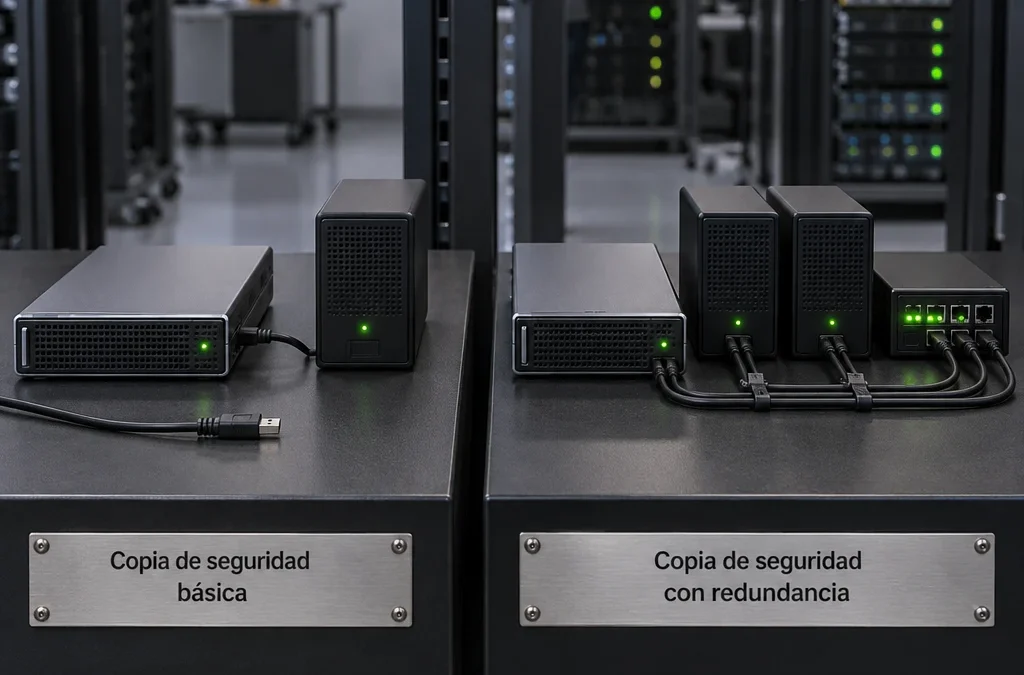
Choosing a backup solution for a Linux server requires looking beyond a list of features. The key question is this: if the server were to disappear tomorrow, how many hours would it take you to start billing again, and how much data would you lose in the process?
For an SME in Barcelona that uses Odoo, PostgreSQL, or Docker containers, the answer depends on what is being backed up, where it is stored, and whether anyone has tried to restore it. We’ll review the technical criteria that distinguish a reliable backup from one that only appears to be reliable, and what costs should be factored in before purchasing a license.
Key points:
- Reliability is demonstrated by restoring the application and verifying that it starts up.
- The frequency of backups determines the RPO; the recovery procedure determines the RTO.
- Odoo requires that you copy PostgreSQL, the filestore, and the configuration all at once.
- In Docker, the volumes and files in the deployment are protected.
- External, immutable copies with separate credentials are more resilient to ransomware.
- In addition to the cost of the license, there are storage, maintenance, and recovery costs.
Why doesn't a piece of writing that «ends well» guarantee anything?
A backup job that completes without errors merely shows that bytes have been written to some destination. It does not prove that those bytes are sufficient to restore the service. That distinction explains most of the disasters that are discovered too late.
Typical failures are silent. It could be a database dump that was copied while the application was writing to it, an attachments directory that no one included, or an encryption password that only one person knew. It also happens that the copy destination was mounted on the same server and was encrypted along with it.
That’s why the question you should ask yourself is, «What do I need to get back up and running, and how soon?» rather than «What software creates backups?» From there, you choose the tool, the storage, and the procedure—not the other way around.
How to Define Business Needs Using RPO and RTO
The RPO (Recovery Point Objective) is the maximum amount of data you can afford to lose, measured in time. The RTO (Recovery Time Objective) is the maximum amount of time the service can be down. Before comparing software, set both values for each server.
How to Calculate the RPO
The RPO is determined by the frequency of the backups. If the backup runs once a day at 2:00 a.m. and the server fails at 6:00 p.m., you lose 16 hours of work. In that case, your actual RPO is 24 hours in the worst-case scenario.
To determine this, ask each department how much work it can redo manually. A business that processes 40 orders a day in Odoo might be able to tolerate losing a morning’s worth of work. On the other hand, an office that issues invoices every few minutes needs hourly backups or continuous archiving of PostgreSQL’s WAL logs (the files where the database logs every change before applying it).
How to Estimate a Realistic RTO
The RTO depends on both the tool and the procedure, on whether hardware or a destination server is available, on the size of the data, and on who is on duty. Restoring 500 GB over a 100 Mbit/s connection takes about 11 hours just for the transfer: 500 GB is 4,000 Gbit, and 4,000 Gbit divided by 0.1 Gbit/s equals 40,000 seconds, or just over 11 hours. No marketing promise can change that math.
A good example of documentation is a plan published in April 2026 for a web server running Nginx and MySQL on Ubuntu 24.04. It set an RTO of 4 hours and an RPO of 24 hours, and recorded a drill conducted on September 25, 2026, with a measured RTO of 1 hour and 20 minutes. That is the format worth emulating: comparing the stated goal with the measured result.
Reasonable starting figures for an SME
For an ERP system in production, a reasonable starting point is an RPO of 1 hour and an RTO of 4 hours. For a corporate web server with static content, an RPO of 24 hours and an RTO of 8 hours are sufficient. Adjust these values based on your business data, but be sure to document them: without specific figures, there’s no way to know if the chosen solution meets your objectives.
What should a server backup with Odoo and Docker include?

A working copy includes everything needed to set up the service on a clean machine. In a Typical Odoo deployment on Docker, which means copying four components: the database, the filestore, the persistent volumes, and the deployment configuration. If even one is missing, the restoration becomes a manual reconstruction.
Consistency Between Odoo and PostgreSQL
Odoo stores records in PostgreSQL and attachments (PDF invoices, images, documents) in the filestore, a directory in the file system. Both must be up to date. If the database references an attachment that is not present in the filestore copy, the user will encounter errors when opening that document.
To achieve that consistency:
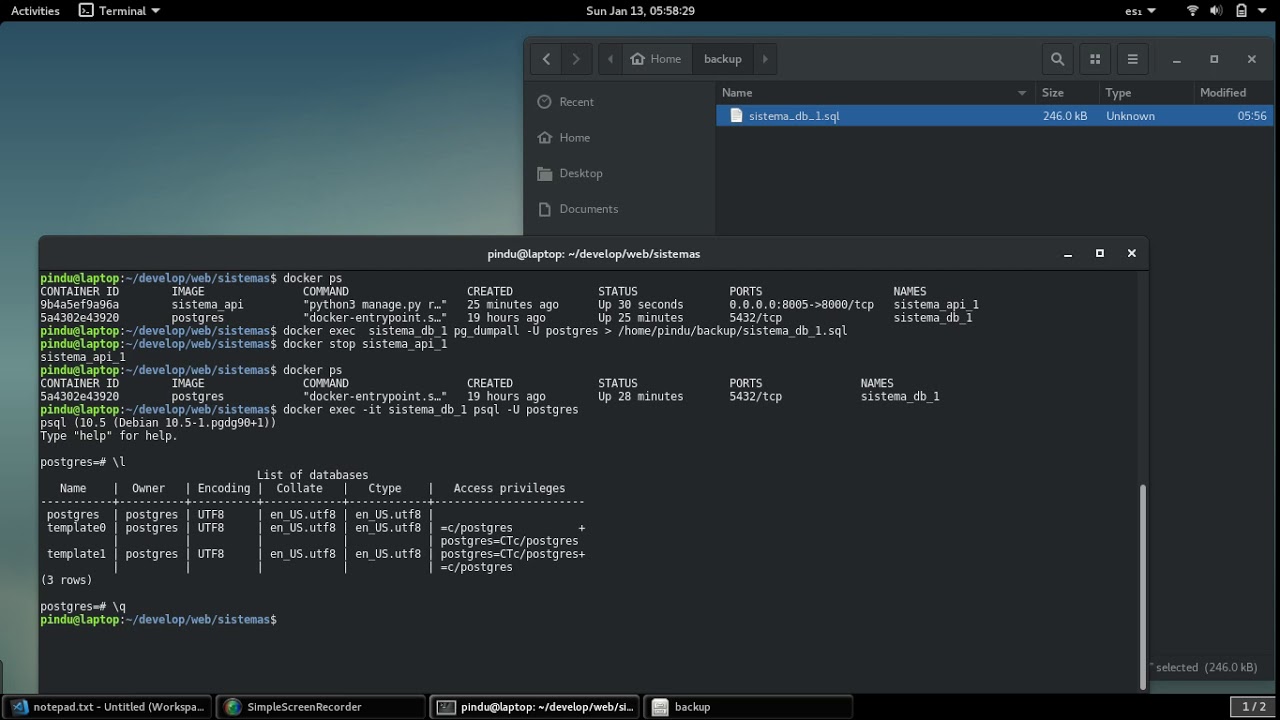
- Run `pg_dump` in custom format (`-Fc`) from the PostgreSQL container. This will give you a transactionally consistent dump without stopping the service.
- Copy the filestore immediately afterward from the volume where the Odoo container mounts it (usually under `/var/lib/odoo/filestore/`).
- Include the `odoo.conf` file, custom and third-party modules with their exact versions, and the `requirements.txt` file if you added Python dependencies.
- Keep the Odoo and PostgreSQL versions on file along with the backup. Restoring a dump to a different, higher version may require a migration.
If the RPO requires backups more frequently than once a day, combine a periodic `pg_basebackup` with continuous WAL archiving. This will allow you to restore the database to a specific minute.
Volumes and Deployment Configuration in Docker
The containers are disposable, and the image can be downloaded again. What cannot be regenerated are the named volumes and bind mounts where the data is stored. A Docker instance that only stores images is useless for recovering anything.
To protect the deployment, copy the `docker-compose.yml` file, the `.env` files, the TLS certificates (if they are not automatically reissued), and the reverse proxy configuration. For database volumes, avoid copying the raw files while the engine is running: use the logical dump described in the previous section, or stop the container while copying.
Also, specify an exact version in the image tags (for example, `postgres:16.4`), rather than using `latest`. Restoring months later with an image that has a different major version is one of the most frustrating ways to waste an afternoon.
Operating System and Host Configuration
This includes `/etc`, crontabs, firewall rules, SSH deployment keys, and any scripts in `/usr/local`. If the tool supports bare-metal recovery (restoring the entire machine to a blank disk), consider whether it’s worth it compared to reinstalling the distribution and reapplying the configuration. With a well-documented server, reinstalling is usually faster and cleaner.
Tools Worth Comparing
For a Linux server in a small or medium-sized business, reasonable options range from open-source, command-line-based tools to commercial platforms with a web console. The choice depends on how many servers you have, whether virtualization is involved, and who will manage the system on a day-to-day basis.
Business Solutions with a Centralized Console
Veeam Agent for Linux protects physical Linux servers and virtual machines. It integrates with Veeam Backup & Replication when a Veeam infrastructure is already in place, and works well if your company uses it for Windows or VMware environments.
NAKIVO offers a single web console, policy-based automation, and an application-aware mode with pre- and post-scripts. These scripts instruct the database to flush in-memory data to disk before copying. It also supports immutable storage on local Linux repositories and S3-compatible storage (Amazon S3, Azure Blob, Wasabi, Backblaze B2), up to 4,000 recovery points per backup, and task chaining to send replicas to another destination after each backup is successfully completed.
Open-Source Solutions
Bacula, in both its community and Enterprise editions, is a comprehensive platform that includes a director, agents, and storage management for disk, tape, or the cloud. It is powerful and highly flexible, but requires a solid understanding of Linux to configure and maintain it.
Restic and BorgBackup are well-suited for environments with one to five servers. They offer incremental backups with deduplication, encryption at the source, and remote repositories via SFTP or S3, and they are automated using systemd timers. Rsync, on the other hand, synchronizes data but does not retain versions or encrypt data on its own. Don’t use it as your sole backup, because it will also replicate any deletion or malicious encryption.
Criteria for Decision-Making
To compare the tools, it's a good idea to ask specific questions that go beyond lists of features:
- Is it compatible with your current distributions and kernel versions (Ubuntu 24.04, Debian 12, RHEL 9)? Check the manufacturer's compatibility matrix.
- Does it create consistent backups of PostgreSQL, or does it allow you to run `pg_dump` as a pre-backup script?
- Does it support true immutability at the destination and encryption with a key under your control?
- Does it notify you when a copy fails or doesn't run, as well as when it finishes?
If you manage fewer than five servers without virtualization, Restic with an immutable S3 repository meets those needs at no licensing cost. If you have a virtualized environment or also manage Windows machines, a commercial console saves hours of administration time.
The 3-2-1 Rule, Immutability, and Key Custody
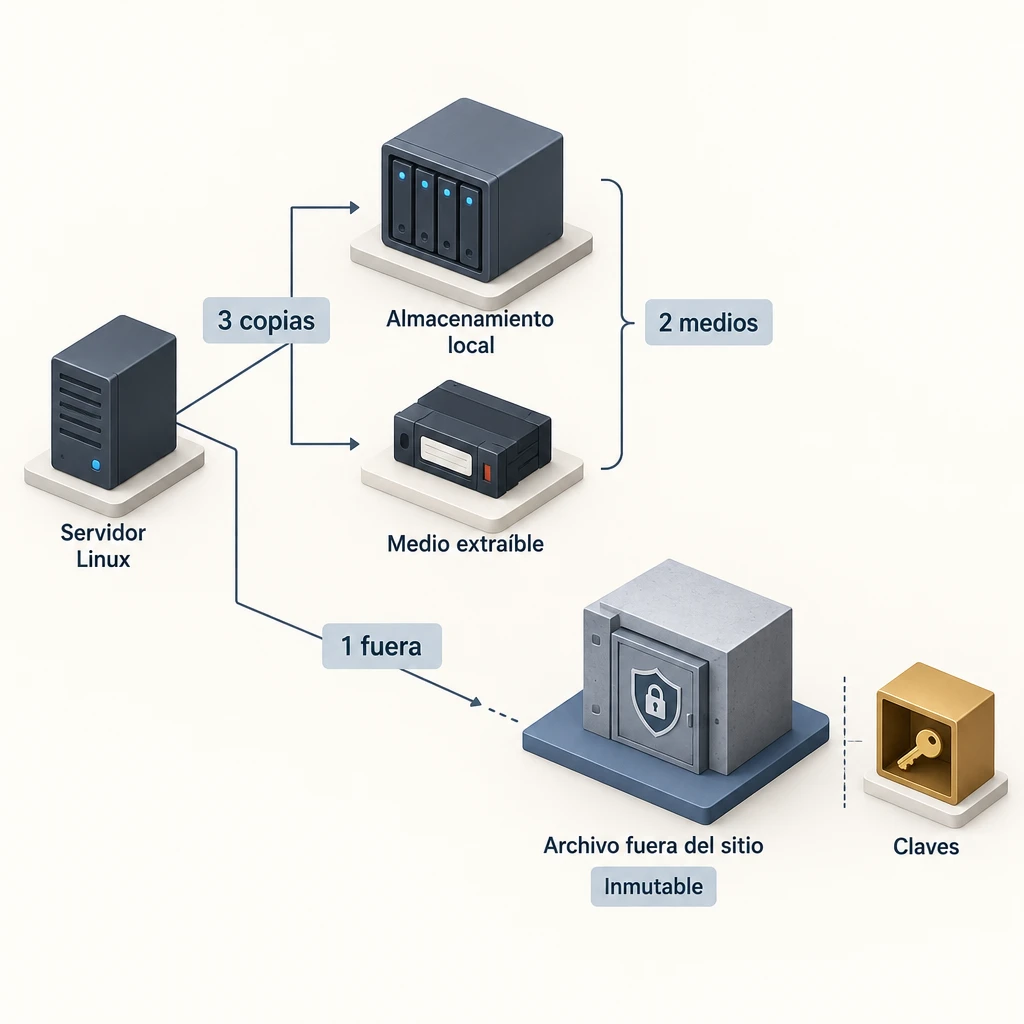
The 3-2-1 rule involves having three copies of the data, on two different types of media, with one of them stored off-site. This remains the reasonable minimum, and it is advisable to expand it with one additional requirement: that at least one copy be immutable or offline.
Why the external copy Must Be Separate
A copy stored on the same server or on a permanently mounted disk will not survive a hardware failure, a fire, or an attacker with root privileges. This happens more often than you might think. In 2026, the Linux kernel vulnerability CVE-2026-31431, known as Copy Fail, was disclosed; it allowed an attacker to gain root privileges without leaving an obvious trace.
Therefore, the external destination must be located in another data center or hosted by another provider. In addition, the production server should only be allowed to write new copies—never to delete existing ones. Use separate credentials for production and for repository administration.
Immutable Copies as a Defense Against Ransomware
Immutable storage prevents copies from being modified or deleted for a set period of time. This is achieved using S3 Object Lock in compliance mode or with hardened repositories. Even if an attacker obtains the server credentials, they cannot encrypt or delete those copies until the lock expires.
Set an immutability period longer than the time it would take you to detect an intrusion. A minimum of 14 days is reasonable for an SME, and 30 days provides more leeway. Keep in mind the drawback: during that period, you’ll pay for storage of all versions, including those you no longer want to keep.
Encryption and Key Custody
Encrypt the copies at the source—before they leave the server—using AES-256 or an equivalent algorithm. The key must not be stored solely on the secured server. Store it in a corporate password manager and keep a second copy on paper in a sealed envelope under management’s custody.
Without the key, an encrypted copy is worthless. That risk is just as serious as not having a copy at all.
How to Balance Storage Space and History with Retention and Incremental Backups
Retention determines how many versions you keep and for how long. Incremental backups allow you to maintain a long history without using up excessive storage space, because each backup only saves the blocks that have changed.
A GFS (grandparent-parent-child) scheme works well for most small and medium-sized businesses: 7 daily backups, 4 weekly backups, and 12 monthly backups. With deduplication, an Odoo server with 50 GB of data and a 2% daily change rate generates about 1 GB of new data per day. Over the course of a year, that amounts to about 365 GB of incremental backups without applying the GFS retention policy, which significantly reduces that figure by eliminating intermediate versions.
Keep two nuances in mind. Very long incremental chains without a full synthetic copy rely on no links becoming corrupted, so run the repository integrity check (`restic check` or its equivalent) at least once a week. Also, check whether any retention requirements—such as those for accounting records, which in Spain must be kept for six years—require you to retain monthly copies for a longer period for certain data.
How to Verify That a Copy Allows You to Restore Service
A backup is reliable when you've restored it on a clean machine and the application has worked. Everything else is just an indication. Schedule a full test at least once a quarter and a restore of individual files every month.
Restoration Testing Procedure
- Create a temporary server, isolated from production, with the same distribution and version.
- Retrieve the encryption keys and credentials from the password manager, not from the original server. This way, you can verify that the custody mechanism is working.
- Restore the host configuration, the `docker-compose.yml` file, and the volumes.
- Import the PostgreSQL dump using `pg_restore` and place the filestore in its path.
- Launch the containers and verify that you can log in to Odoo, open an invoice with its attached PDF, and generate a report.
- Record the total time that has elapsed since Step 1 and compare it to your RTO.
- Delete the temporary server and update the recovery document with what you've learned.
What to Require from the Supplier During the Trial
If you sign up for the backup service, insist that the test be performed by someone who did not set up the system, following only the documentation. Also request a report that includes the measured RTO, the date of the restore point, and any issues detected. If the procedure depends on a specific person «knowing how it works,» you still don’t have a recovery plan.
Daily Monitoring
Set up alerts via email or a messaging channel when a task fails and, most importantly, when it doesn't run. A task that stops running does not generate an error. Tools such as Healthchecks or Uptime Kuma detect the absence of a signal within a set timeframe—for example, 26 hours for a daily backup.
How much does a backup solution really cost?

The total cost includes much more than just the license: storage, data transfer, maintenance hours, restoration testing, and the cost of downtime if the RTO is not met. A free tool can end up being expensive if each restoration takes a technician a full day to complete.
When comparing offers, add up these items for a three-year period:
- Licenses or subscriptions per server, per virtual machine, or per protected terabyte.
- External storage, taking into account immutability and monthly retention.
- Outbound traffic during restoration, which some cloud providers charge per GB downloaded.
- Administration hours: updates, review of alerts, and quarterly tests.
The exact price depends on the data volume, the number of servers, and the RTO you require. A 4-hour RTO requires having a destination server ready or a support contract with a guaranteed response time. A 48-hour RTO allows you to start from scratch. To get a reliable estimate, prepare an inventory of your servers, the data volume in GB, and your RPO and RTO targets, and request a quote based on that information.
The common objection is that «nothing has ever happened.» It is precisely in that situation that the risk is most underestimated. All you have to do is calculate your company’s revenue for a typical business day and multiply it by the number of days it would take to rebuild Odoo without a backup.
Where to Start
Today, write down—on a single page—the RPO and RTO for each server and the list of what needs to be copied. Then, schedule a restore on a clean machine before the end of the month and time it. If you’d prefer to have outside support, Synergia manages Linux, Docker, and Odoo servers in Barcelona.
Frequently Asked Questions
How often should I back up a server running Odoo?
At least once a day for a production ERP system, and every hour if billing is continuous. The frequency is determined by the RPO: the interval between backups determines the maximum amount of data you are willing to lose.
Is a snapshot from the VPS provider sufficient as the sole backup?
No. The snapshot is usually stored on the same platform and under the same account, so it shares the same risks as the original server. Use it as an additional quick copy and keep another external, encrypted, and immutable copy.
Can I restore a PostgreSQL dump to a newer version?
Yes, `pg_restore` allows you to load a logical dump onto a newer version. The reverse operation is not supported, so always record the source version along with the copy and perform a Test before a migration.
How much space do I need for backups?
Estimate approximately 1.5 to 3 times the data volume for one year of GFS retention with deduplication. The final figure depends on the percentage of daily changes and how many months' worth of copies you retain.