

If you're going to install Odoo on Ubuntu Server, the most important thing is to choose a deployment method that you'll still be able to maintain two years from now. Docker, the official deb packages, and installation from source code all let you get Odoo up and running in minutes. The difference becomes apparent later, when it’s time to update, add custom modules, or restore service after a failure.
For an SME, making the right choice reduces downtime and support costs, and avoids relying on a single person who knows how to manage the server. We compare the three methods from the perspective of day-to-day administration and conclude with a checklist for going live.
Key points:
- Deb package: the fastest way to get Community without customizations.
- Docker: the most reproducible, but it requires persistent volumes and administrative tasks.
- Source code with venv: full control over custom modules.
- Odoo 19 and 20 are installed on Ubuntu 24.04 LTS.
- A valid copy includes the database, filestore, configuration, and modules.
- Scale based on concurrent users and integrations, not on the total number of users.
Which installation method is best for your company?

The Docker package is suitable for an SME using Odoo Community with very little in-house development. Docker is the right choice when you want identical testing and production environments, and the source code is the best option when you maintain custom modules or need the Enterprise edition with precise control over dependencies. All three methods work in production if managed properly.
To make a decision, compare the three deployments based on three criteria: customization, maintenance, and recovery. The first measures how easy it is to add Python modules and libraries. The second indicates how much work each update requires. The third measures how long it takes to rebuild the service on another server.
Official deb packages
Odoo S.A. publishes a repository at nightly.odoo.com that allows you to install the Community edition with `apt-get install odoo` and keep it up to date with `apt-get upgrade`. The package creates the service user, the systemd unit, and the `/etc/odoo/odoo.conf` file, and declares the Python dependencies as system packages.
This method involves managing the fewest components. The drawback arises with custom modules: if a module requires a Python library that Ubuntu doesn't include in its packages, or needs a different version, you end up mixing pip with apt. That mix causes errors during updates. Enterprise is not in the public repository; it is downloaded from the Odoo download page with an active subscription.
Docker and Docker Compose
With Docker Compose, you define Odoo and PostgreSQL in a single `docker-compose.yml` file, and that same file allows you to set up the test, pre-production, and production environments. The image locks in the versions of Python and wkhtmltopdf, which prevents any surprises with operating system dependencies.
With Docker, you still have to manage the server. Odoo data is stored in volumes, and if a container is recreated without them, the filestore is lost. Additionally, you’re still responsible for Ubuntu updates, the firewall, logs, and backups. Docker is the most reproducible option, though not the simplest.
Installation from source code
Clone the release branch (for example, `19.0`) from GitHub and create a Python virtual environment. Install the dependencies from `requirements.txt` inside the venv and write the systemd unit file yourself. On Ubuntu 24.04, using a virtual environment is practically mandatory, because the system blocks pip installations outside of a venv.
This method gives you complete control. You can configure each dependency, add module folders for Enterprise and your own developments, and debug with the code visible. In return, you must handle each update yourself using `git pull` and run the corresponding tests, without a package manager to alert you.
Compatible versions of Odoo, Ubuntu, and PostgreSQL


Compatibility is tested for the specific combination of Odoo, Ubuntu LTS, PostgreSQL, and their dependencies—not for each component separately. For a new deployment in November 2026, use Ubuntu 24.04 LTS with Odoo 19 or Odoo 20, PostgreSQL 14 or later, and Python 3.12, which is the version included in Ubuntu 24.04.
Odoo 20 was unveiled at Odoo Experience 2026, held in Brussels from September 24 to 26, 2026. It is built on Python 3.12, and the installation process is very similar to that of Odoo 19. If your partner or the third-party modules you use are not yet ready for version 20, Odoo 19 on Ubuntu 24.04 is the prudent choice.
Where Incompatibilities Typically Arise
The most common case is wkhtmltopdf, the tool that generates PDFs for invoices and quotes. In Ubuntu 24.04, the package from the repository lacks the patched Qt support that Odoo requires. Therefore, it is best to install version 0.12.6.1-2, compiled for Jammy (22.04). Without it, the PDFs will be generated without headers or footers.
Another potential issue is older versions. Installing Odoo 16 or 17 on Ubuntu 24.04 can cause incompatibilities between Python 3.12 and certain libraries whose versions are hardcoded in `requirements.txt`. If you’re dealing with an older version, Docker is the cleanest way to isolate it while you plan the migration.
Updates and Migrations
Updating within the same major version—for example, applying patches for version 19.0—is a routine operation. Migrating from Odoo 17 to 19 It changes the database structure and requires custom modules to be adapted. It requires a different procedure, a test environment, and functional validation before making changes to the production environment.
How much CPU, RAM, and SSD storage does an SME need?
For a test environment or a single developer, 2 GB of RAM and 2 cores are sufficient. For production in a small business, plan for at least 2 vCPUs and 4 GB of RAM. With fewer than 10 users, a generous configuration is 4 cores, 8 GB of RAM, and a 250 GB SSD. For 10 to 50 users, allow for 16–32 GB of RAM and 500 GB of SSD storage or more.
The minimum requirements listed in many guides (2 GB of RAM, 5 GB of disk space, a 1 GHz dual-core processor) are barely enough to get Odoo up and running. A server like that can handle a demo, but it becomes overwhelmed with the first complex accounting report.
Which variables really matter?
Sizing depends primarily on four factors:
- Concurrent users, not registered users.
- Active modules, such as Inventory, Manufacturing, or Accounting.
- Scheduled tasks (cron), such as reconciliations or bulk mailings.
- API integrations, such as an online store, a POS system, or an e-commerce platform.
A company with 40 users in its ERP system and 8 users connected at the same time uses fewer resources than another company with 15 users and an online store that synchronizes inventory every minute. Measure peak-hour concurrency before purchasing hardware.
A rough estimate of the number of workers
Odoo in production uses multiprocessing mode. A common rule of thumb is to configure 2 workers per core plus 1, and each worker handles about 6 concurrent users. With 4 cores, that comes to 9 workers—meaning a theoretical capacity for about 54 concurrent users. If each worker consumes an average of 150 MB, the 9 workers total 1,350 MB. Add to that PostgreSQL and the operating system, leaving 8 GB of RAM as a buffer. It’s always best to use SSDs: PostgreSQL is sensitive to disk latency, and a mechanical hard drive slows down every query.
Step-by-Step Installation from Source Code on Ubuntu 24.04
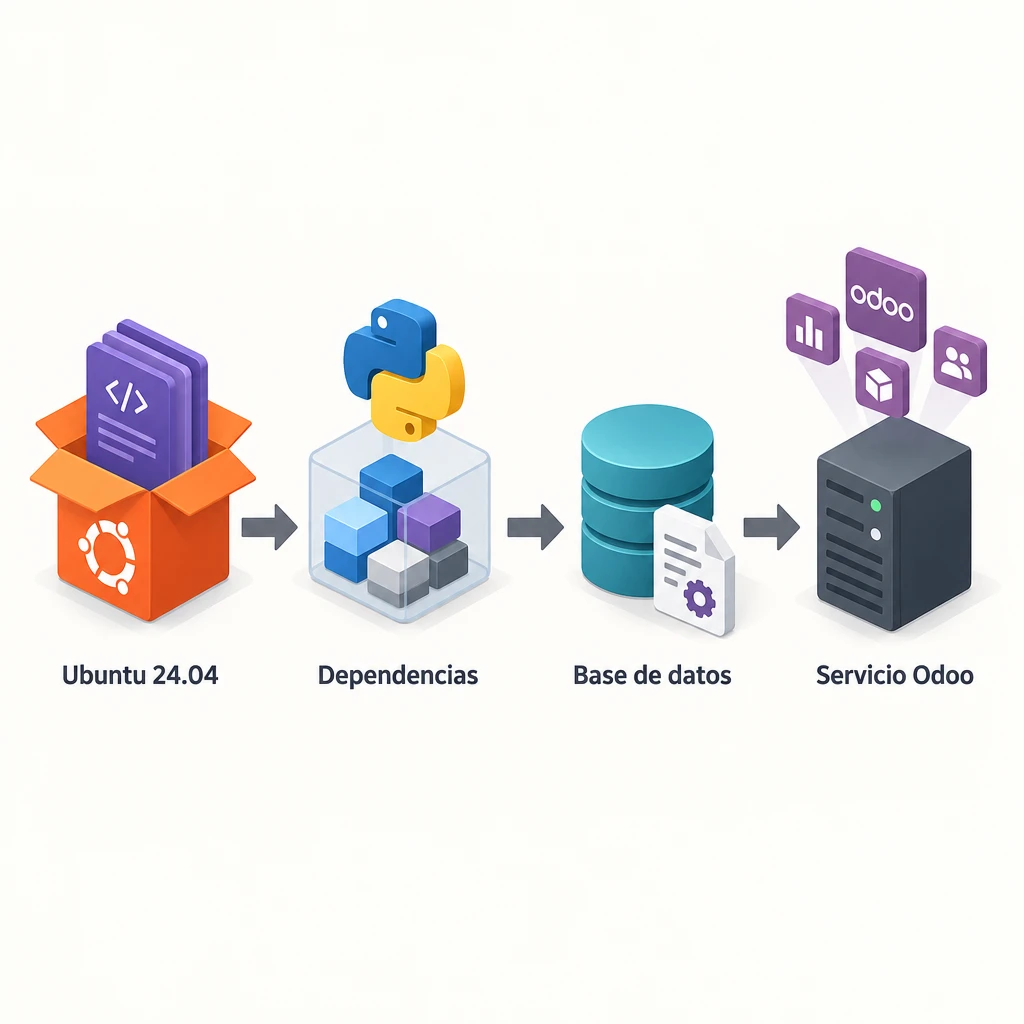
This method works for both Community and Enterprise editions and serves as the foundation for understanding any other method. It takes about 30–45 minutes on a clean server. We’re using Odoo 19 as an example; for version 20, simply change the branch.
- Update the system with `sudo apt update && sudo apt upgrade -y` and install the build dependencies: `git`, `python3-venv`, `python3-dev`, `build-essential`, `libpq-dev`, `libxml2-dev`, `libxslt1-dev`, `libldap2-dev`, `libsasl2-dev`, and `libjpeg-dev`.
- Install PostgreSQL with `sudo apt install -y postgresql` and create the role: `sudo -u postgres createuser -s odoo19`.
- Create a service user without privileges: `sudo useradd -m -d /opt/odoo19 -U -r -s /bin/bash odoo19`.
- Using that user account, clone only the necessary branch: `git clone https://www.github.com/odoo/odoo --depth 1 --branch 19.0 /opt/odoo19/odoo`.
- Create the virtual environment with `python3 -m venv odoo-venv`, activate it, and run `pip install --upgrade pip wheel`, followed by `pip install -r /opt/odoo19/odoo/requirements.txt`.
- Install wkhtmltopdf 0.12.6.1-2 in your Jammy build using `sudo apt install ./wkhtmltox_0.12.6.1-2.jammy_amd64.deb`.
- Create `/etc/odoo19.conf` with `admin_passwd`, `db_user = odoo19`, `addons_path`, `logfile = /var/log/odoo/odoo19.log`, and `proxy_mode = True`. Restrict its permissions with `chmod 640` and set the service user as the owner.
- Create a systemd unit that runs `odoo-bin` using the Python from the venv and the configuration file, and enable it with `systemctl enable --now`.
- Open `http://IP-del-servidor:8069` and create the first database using the master password.
Where to Install Enterprise and Its Modules
Keep three separate folders for the Odoo core, the Enterprise modules, and your custom modules; for the latter two, you can use, for example, `/opt/odoo19/enterprise` and `/opt/odoo19/custom-addons`. Add them to `addons_path`, with Enterprise listed before the core. This way, switching from Community to Enterprise simply involves copying the folder, restarting the server, and installing `web_enterprise`.
Python dependencies for custom modules are installed within the same venv. Document them in a `requirements.txt` file in the module repository. Without that file, rebuilding the server becomes a hunt for import errors.
The Docker Compose Alternative
With Docker, you can skip steps 1 through 6. You define two services: `db`, using the official PostgreSQL image, and `web`, using the official Odoo image and the exact version tag (`odoo:19`, never `latest`). You mount three volumes: the PostgreSQL data, `/var/lib/odoo` for the filestore, and a folder on the host server at `/mnt/extra-addons` for the modules. The configuration file is mounted at `/etc/odoo`.
To update while preserving data and modules, follow this sequence: backup, `docker compose pull`, and `docker compose up -d`. Then run the module update with `-u` on the database. The named volumes They are preserved when the container is recreated; what you should never do is run `docker compose down -v`, because that option deletes the volumes.
Domain, reverse proxy, and HTTPS
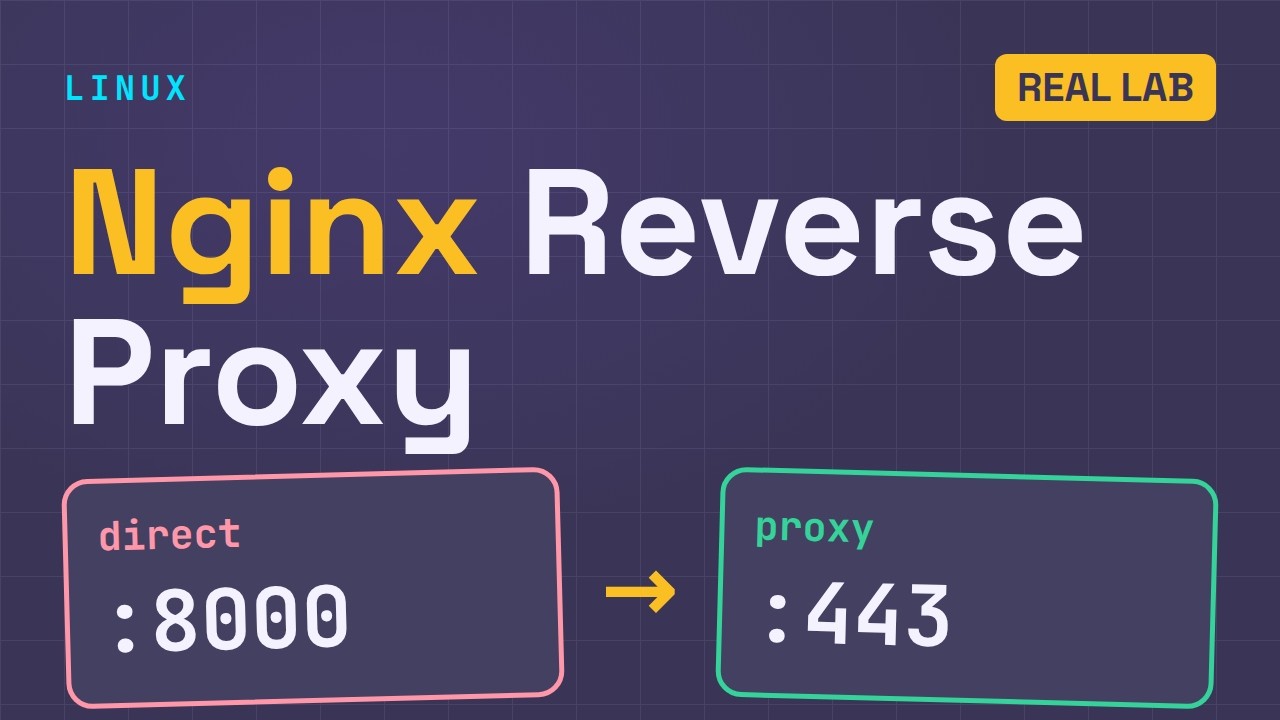
Odoo should not be exposed directly on port 8069. Set up a reverse proxy (Nginx or Caddy) in front of it to receive traffic on port 443, handle the TLS connection using a Let's Encrypt certificate, and forward requests to Odoo on localhost. First, point the A record for the domain—for example, `erp.tuempresa.cat`—to the server’s public IP address.
Caddy automatically obtains and renews the certificate using a three-line block. With Nginx, you use Certbot, which sets up renewal using a systemd timer. Either approach works; Caddy requires less configuration, while Nginx offers more control over caching and limits.
Settings That Are Often Overlooked
In the Odoo configuration, enable `proxy_mode = True` so that it records the client's actual IP address and generates URLs with HTTPS. In multiprocess mode, chat, live notifications, and Discuss use a separate port (`gevent_port`, 8072 by default). The proxy must forward `/websocket` to that port. If it does not, real-time notifications stop working without displaying any obvious error.
Also adjust the maximum size of proxy requests, for example, `client_max_body_size 100m` in Nginx. With the default value of 1 MB, large imports and attachments will fail.
What to Change When Moving from Testing to Production
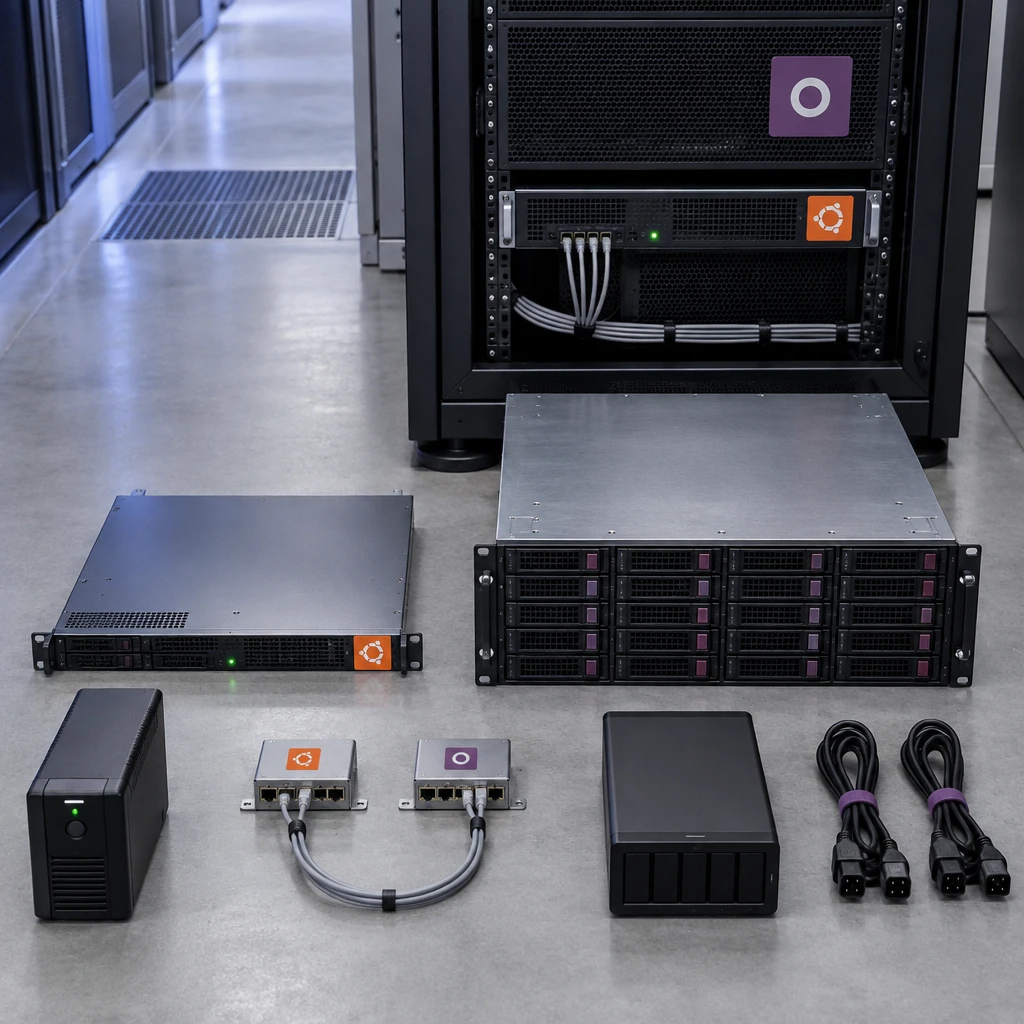
In a test environment, speed is key; in production, it's crucial that no one loses data or access. Before granting access to staff, review this list:
- Workers configured (`workers` greater than 0) and memory limits `limit_memory_soft` and `limit_memory_hard` defined.
- `list_db = False` to hide the database manager, and a long, unique password `admin_passwd`.
- Odoo is listening only on localhost (`http_interface = 127.0.0.1`), with access exclusively through the proxy.
- A service user without an administrator shell, who owns only their own folders, and PostgreSQL with no network access.
- UFW firewall with only ports 22, 80, and 443 open, and SSH with key-based authentication.
- Automatic, encrypted backups stored off-server, with a proven restore process.
- Log rotation and monitoring of disk, memory, and service.
What a Backup Should Include
A PostgreSQL dump alone is not enough. An Odoo backup that allows you to restore the service includes the database using `pg_dump`, the filestore from the same date (attachments, images, and documents), the configuration file, and the exact code for custom and Enterprise modules. If the database and filestore are not consistent, you will restore records that reference nonexistent attachments.
To verify this, restore the backup to a test server at least once a quarter and time how long it takes. That time is your actual recovery time, regardless of what's on paper.
Recovery Based on the Chosen Method
With Docker, recovery involves copying the `docker-compose.yml` file, restoring the volumes, and starting the containers. With the DEB package, you reinstall using apt and restore the data. If you’re using the source code, you’ll also need to rebuild the venv. That’s why it’s a good idea to commit the configuration and the systemd unit to Git along with the modules.
Test the deployment before migrating
If you’re still unsure, install Odoo on a test server using your chosen method and perform a complete restore from scratch. Time how long it takes and write down each manual step. If the process relies on a person’s memory, the deployment isn’t ready for production yet. If you’d prefer to get help with your current deployment, Synergia offers services in Barcelona Odoo Implementation, Hosting, and Support with Docker and PostgreSQL.
Frequently Asked Questions
What changes when you install Odoo Community or Enterprise?
Community is free software licensed under the LGPLv3 and can be installed from the public repository or from GitHub. Enterprise adds applications such as Studio and the mobile app and requires a paid subscription. Technically, it is an additional folder of modules in `addons_path`.
Can I install Odoo on Ubuntu 22.04 instead of 24.04?
Yes, for Odoo 17 or earlier versions, which were designed with that in mind. For Odoo 19 or 20, use Ubuntu 24.04 LTS, because it includes Python 3.12 and will be supported for a longer period of time.
Does Docker negatively impact Odoo's performance?
Not significantly on a Linux server, because containers share the host system's kernel. What does affect performance is storage: place the PostgreSQL volumes on a local SSD and avoid slow network-attached drives.
How often should an Odoo installation be updated?
Apply the patches for your major version once a month, always after creating a backup and conducting a pre-production test. Plan the migration to a new major version as a separate project, including functional testing and module adaptation.