
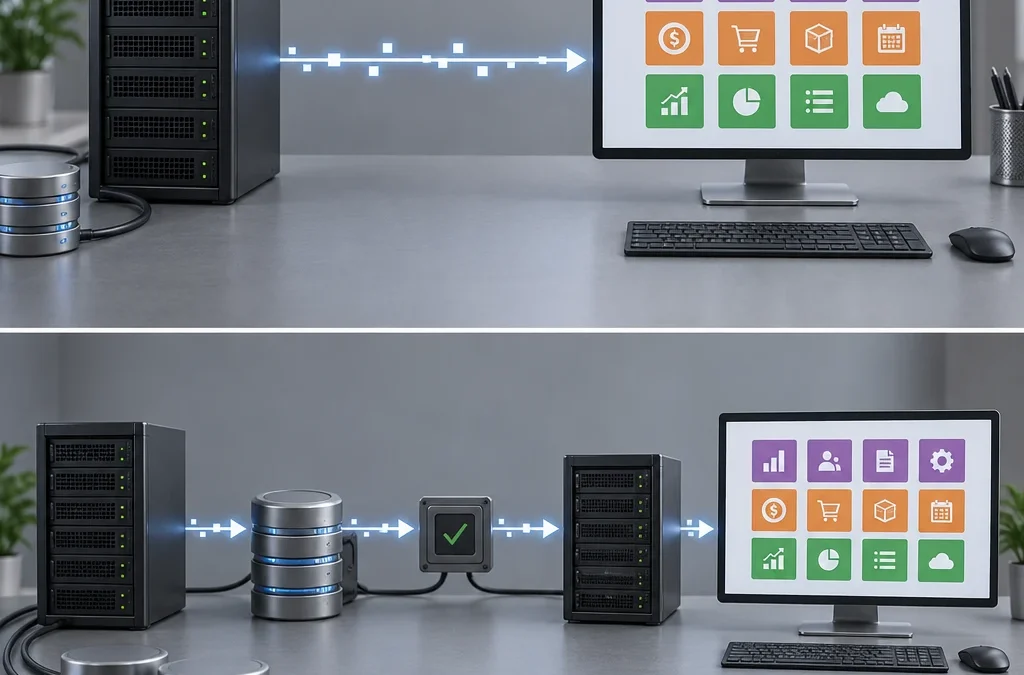
60% of delays in ERP implementations are caused by data migration. It's not usually an insurmountable technical problem: there's almost always enough time to clean, map, and validate the data. Whether your company already uses Odoo or is still using Sage, A3, Excel, or PrestaShop, the Odoo migration method you choose determines how many days of work you'll lose and how much historical data you'll retain.
Here’s the short answer. First, distinguish between upgrading your Odoo and switching from another ERP. Then decide whether to keep the historical data, transfer only the essential data, or start from scratch. Finally, choose a provider that details in writing the scope, testing, accounting validation, cutover plan, rollback, and post-implementation support.
Key points:
- Upgrading to a new version and switching to a different ERP system are two different projects.
- Three methods: complete history, essential data, or start from scratch.
- Custom modules account for almost all of the work involved in an update.
- Practice the full cut and the reversal before the big day.
- Compare suppliers based on scope and acceptance criteria, not on price.
- Odoo 17 and earlier versions are no longer supported since the release of Odoo 20.
Version update or migration from another ERP system?


These are two separate projects, each with different risks and budgets. An upgrade moves an Odoo database from one version to a newer one, for example, from Odoo 17 to Odoo 20. A migration from another system extracts data from Sage, A3, Excel, or PrestaShop, transforms it, and loads it into a new Odoo installation configured from scratch.
Confusing these two concepts is the first mistake made when requesting a quote. An SME that requests an upgrade when it is actually switching ERP systems receives quotes that do not include data mapping, master data cleanup, or accounting reconciliation. The opposite scenario also occurs: a quote is provided for a complete reimplementation when all that was needed was to adapt two modules and validate the updated database.
What Does Updating Odoo Involve?
Odoo provides support for each major version for three years and maintains the three most recent versions. Odoo 20 was unveiled on September 24, 2026, at Odoo Experience in Brussels. Since then, versions 18, 19, and 20 have remained supported. If your company is using version 17 or an earlier version, it is no longer covered by the security patch cycle or tax updates.
The official process consists of four steps: requesting an updated test environment, adapting your own modules to the new version, testing thoroughly, and only then updating the production environment. The smaller the version jump, the easier it is. Upgrading from version 19 to 20 is not the same as jumping from version 14 to 20.
What Does Switching ERP Systems Entail?
There is no automated tool here. Each source system exports data in its own way, and the real work lies in organizing codes, names, accounts, and balances before importing them. Odoo’s own documentation excludes migration from another ERP system from its upgrade services, as well as the switch from Community to Enterprise or the transition from a self-hosted server to Odoo Online.
Preserve the historical data, migrate what's essential, or start from scratch
The key decision in any migration is how much of the past you take with you. There are three recognized alternatives, and each one affects the timeline, the risk, and the quality of the data you'll be working with afterward.
Complete migration of the legacy system (brownfield)
You transfer all records: invoices from previous years, closed inventory transactions, and complete journal entries. This makes sense when you need comparative reports for multiple fiscal years within Odoo or when you’re already using Odoo and are simply upgrading to a new version.
The downside is clear: you end up with duplicates, obsolete codes, and accumulated errors. Migrating ten years of historical data from Sage multiplies the number of hours spent on mapping and validation—and often, no one ever refers to that data again. Before you pay for it, ask yourself which specific report actually needs it.
Master Data Plus Open Transactions (Greenfield with Cut-off)
This is the most balanced approach for most small and medium-sized businesses switching ERP systems. Master data (customers, vendors, products, chart of accounts), opening balances, and active transactions—including inventory, pending sales and purchase orders, and accounts receivable and payable—are imported.
The historical data remains available for viewing in the previous system, in read-only mode and without the ability to perform new transactions. One year is usually sufficient to handle inquiries, refunds, and the closing of the previous fiscal year, although it’s advisable to allow for more time if your business involves long-term guarantees or pending inspections.
Starting from scratch with master data (greenfield)
You simply import the master data and start with new counters. This approach makes sense when the previous system is so messy that cleaning it up would cost more than rebuilding it from scratch, or when your current Odoo installation has accumulated customizations that no longer make sense in the new version.
To make decisions based on data rather than intuition, answer these questions in order:
- Which tax reports or inquiries require historical data within the ERP system, and for how many fiscal years?
- What is the current quality of the master files (duplicates, unused codes, incomplete contact information)?
- How many open trades will you have on the cut-off date?
- How many custom modules and integrations depend on the current structure?
- How long can the old system continue to operate in query mode?
- How many days of downtime can your operation tolerate?
If the answer to the first question is «none» and to the second is «bad,» the cut method or the clean boot will save you weeks.
What changes depending on the source system?
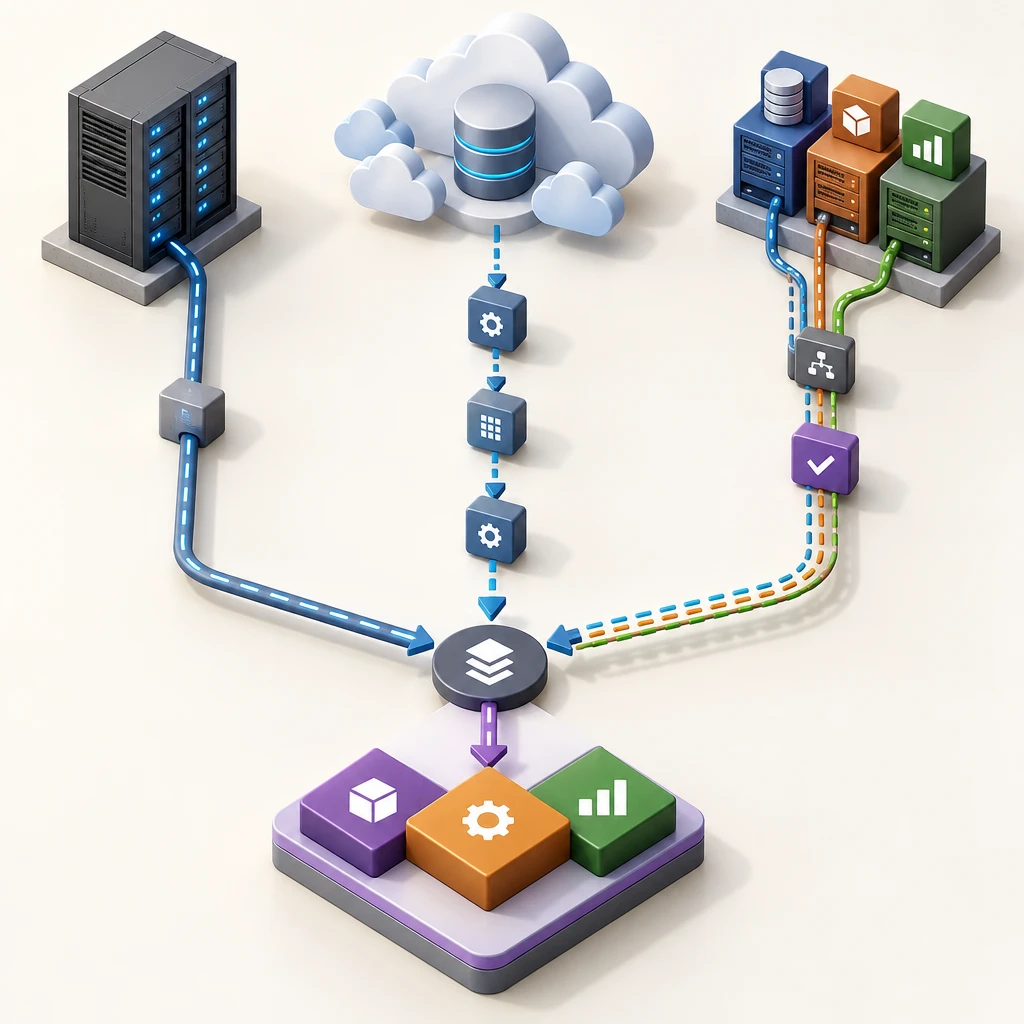
The system you start with does not alter the outcome, but it does determine where your efforts are focused: on extracting data or on organizing it.
When exporting from Sage or A3, the data is usually clean and well-structured. The challenge lies with the team, which brings work processes that Odoo handles differently: billing cycles, journal entries, or processing bank remittances. Set aside time to redefine processes, not just to upload files. Also, validate the Spanish chart of accounts and tax templates in the Spanish version of Odoo before uploading balances.
In Excel, the import process is technically simple, but preparing the data beforehand is very time-consuming. It’s common to find the same client listed in three different ways, products without a unique reference number, or balances that don’t match the accounting records at the tax preparation firm. Spend at least as much time cleaning up the data as you do on the import itself.
From PrestaShop, the catalog, customers, and open orders are migrated, and a decision is made as to whether the store will switch to Odoo eCommerce or remain connected. If the store switches platforms, all old product and category URLs are redirected to the new ones using 301 redirects. Without these redirects, you’ll lose the organic search rankings that took so much effort to build.
In legacy in-house developments, the database is usually accessible, but the business logic resides in undocumented code. The most important thing here is to conduct a preliminary analysis: to understand what the system was calculating before attempting to replicate it.
Custom Modules, Integrations, and Odoo Development
When it comes to an update, the database is the easy part. Standard installations are updated using the official tools, and most of the effort goes into testing. When there are custom modules or integrations, each component is reviewed and rewritten for the new version. That’s where most of the work lies.
This is the most costly misunderstanding of all. Updating the database does not adapt custom modules. Odoo does not allow you to update a database with custom developments until they are compatible with the target version. If you maintain your own modules, Odoo recommends working in parallel: request an updated database while adapting the source code.
What's Included in the Odoo Enterprise Upgrade
With an Enterprise subscription, updating the database to the latest version is included, along with support for resolving discrepancies in the updated data. This applies to Odoo Online, Odoo.sh, and self-hosted servers. Odoo also runs a silent test on the databases that need to be updated. If that test is successful and takes less than 20 minutes, you can launch the update directly from the database itself.
The following are not supported: custom module adaptations, changing editions, changing hosting providers, rolling back to a previous version, and migrating from another ERP. In Odoo Online, updates to major versions are mandatory every two years and are performed automatically if you do not take action before the deadline.
Community and Self-Hosting
With Odoo Community, there is no official update service. The migration scripts and the adaptation of OCA community modules These costs are covered by the facility operator. In return, you control the schedule, and there are no per-user licenses.
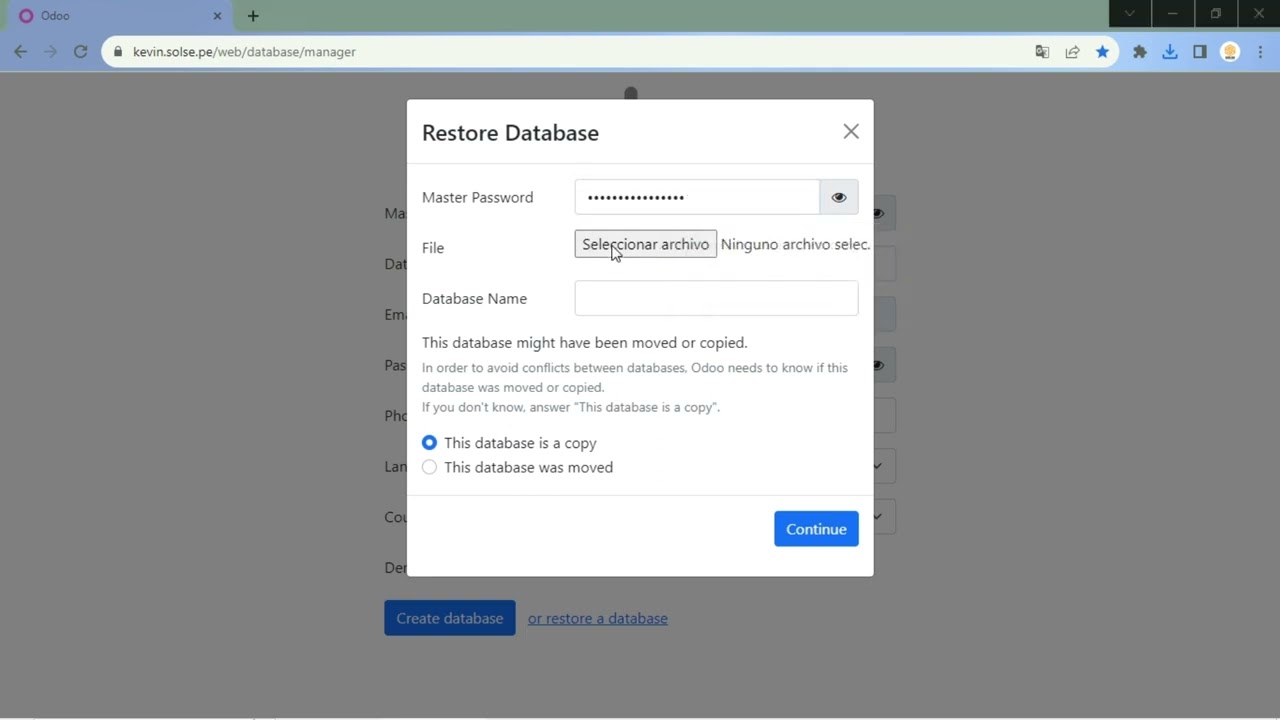
If you host Odoo on a Linux server using Docker and PostgreSQL, the architecture makes the process easy: you start a container with the new version alongside the production container, restore a copy of the database using `pg_dump` and `pg_restore`, and test without affecting the production environment. To roll back, simply restart the previous image with the previous database copy.
Be sure to review the new features before making the switch. In Odoo 20, for example, journal entries that affect bank accounts must originate from bank transactions, payment statuses are renamed («In Progress» becomes «Paid» and «Paid» becomes «Reconciled»), and External Service is no longer a standalone app but is now integrated into Planning. Notify Accounting and Operations before making the change.
How can you prevent data loss and minimize downtime?
The most reliable approach is to keep the current system as the production environment while Odoo is configured and tested in parallel, and to make the switch during a planned and rehearsed cutover. No serious migration promises zero downtime: during the production upgrade, the database cannot be used. What you can control, however, is how long that downtime lasts and what happens if something goes wrong.
Test Environment and Backups
Whenever possible, work on a restored production copy—never on made-up data. Before each test and before the cut, make a complete copy of the PostgreSQL database and the filestore (the attachments), and verify that it restores properly. A copy that has never been restored is not a reliable copy.
Do at least one complete run-through from start to finish, timing yourself. That run-through will tell you how many hours the edit actually takes and what issues arise based on real data.
Accounting and Inventory Reconciliation
To validate the migration, compare figures that the accounting department can approve:
- Closing Trial Balance, Source vs. Odoo.
- Outstanding balance by customer and by supplier.
- Units and inventory valuation by warehouse and product.
- Amounts of open sales and purchase orders.
- Number of records per master table (customers, products, accounts).
If any figure isn't exact to the cent, the cut isn't made. It's that simple.
Cutback and Reversal Plan
Choose a time when activity is low, such as at the end of the month or during a long weekend. In Barcelona, August or the week of Sant Joan usually work well for many small and medium-sized businesses. The plan should specify the time to freeze the old system, the upload sequence, who validates each area, and a decision point with a specific time. If the reconciliation fails at that time, the rollback is executed: you revert to the previous system using the backup copy and reschedule. Be sure to test this rollback as well, not just the upgrade.
Criteria for Comparing Migration Providers

Compare providers using the same verifiable criteria, not promises. For an SME, it’s more important that the proposal clearly states who is responsible for each task than a generic promise of «migration without downtime.» Ask that each proposal address these points in writing:
- Data that is migrated and data that is left out, with specific exercises.
- Compatibility of each custom module and integration, with estimated effort.
- Number of prior trials and criteria for accepting the reconciliation.
- Expected maximum outage and proposed outage window.
- Reversal procedure and who makes the decision.
- Support during the first few weeks after launch.
Why Price and Accreditation Are Not Enough
Official partner status is obtained, in part, by paying a fee to Odoo S.A. It provides direct access to the manufacturer’s resources and support, but does not guarantee expertise in your industry or in the Spanish market. There are implementation partners without this certification who work with Odoo Community using OCA modules and actively participate in the Spanish community, including AEOdoo.
A low budget that doesn't mention testing or reconciliation comes with a hidden cost: you'll end up paying for it in accounting hours spent correcting balances. Ask for references from projects similar to yours and check what deliverables were agreed upon in those projects.
What Factors Determine the Cost and Timeline?
There is no standard rate because the effort involved varies greatly. Factors that influence the cost include the version upgrade, the number and complexity of custom modules, integrations (online store, banks, logistics), the volume of historical data, and the quality of the source data. As a general guideline, a standard upgrade without custom development is usually completed in a few weeks, while an ERP migration involving data cleansing and integrations takes several months. The exact cost can only be determined after a preliminary assessment of your database and processes.
That assessment is a reasonable starting point. In Barcelona, Synergia implements and hosts Odoo on Dedicated servers with Docker and PostgreSQL, and offers on-site and remote support with a two-hour response SLA.
Conclusion
Before requesting quotes, prepare a sheet with three pieces of information: your current version or source system, the number of custom modules and integrations, and the historical financial years you need to access within the ERP. Based on that, choose the upgrade option if you’re already using Odoo with few customizations; the essential data migration method with a data cutoff if you’re coming from Sage, A3, or Excel; and a clean start if your master data is corrupted. Then, require each vendor to provide a trial run, data reconciliation, and rollback in writing.
Frequently Asked Questions
Should I migrate my current Odoo installation or start from scratch?
It's best to migrate if your data is clean and your custom modules are still useful. Start from scratch if you're dealing with outdated customizations or disorganized master data. In that case, a new implementation with master data will be more stable than trying to fix existing issues.
What data do I have to enter into Odoo?
Master data (customers, vendors, products, chart of accounts), opening balances, and open transactions: inventory, open orders, and accounts receivable and payable. Closed historical data can remain available for viewing in the previous system in read-only mode.
Is it possible to migrate Odoo without any downtime?
No. You cannot work with the production database while it is being updated. What you can do, however, is reduce that window to a few hours on a day with low activity, by conducting a timed test run beforehand and having a rollback plan ready.
Does the Enterprise subscription cover the customization of my modules?
No. Enterprise includes updating the database and correcting discrepancies in it, but not modifying the custom code. Please ask that the quote itemize the work for each module and each integration separately.