
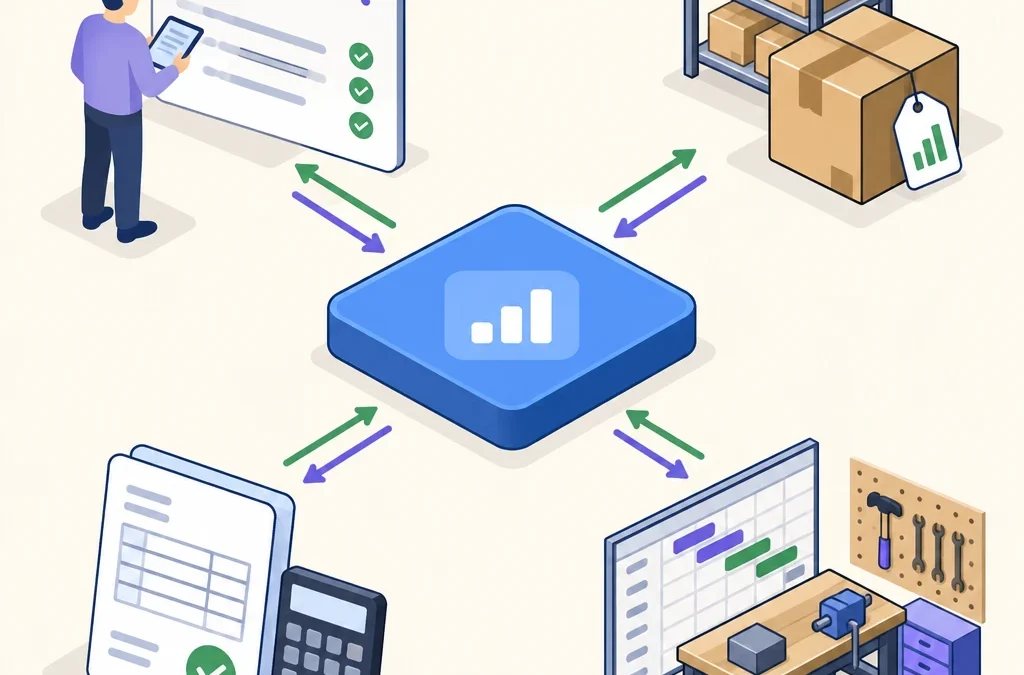
If you're wondering what Odoo is and what it's used for, chances are your company is already using invoicing software, several spreadsheets, and a store dashboard online that do not communicate with each other. Odoo is an open-source ERP that integrates sales, purchasing, inventory, accounting, and CRM into a single database, so that each piece of data is entered only once.
For an SME in Barcelona or anywhere else in Catalonia, the key question is: Which parts of Odoo do they need, which edition should they use, and on what infrastructure should they install it?
Key points:
- Odoo is a modular ERP system developed by the Belgian company Odoo S.A.
- All of its applications share a single PostgreSQL database.
- Community is free; Enterprise is billed per user.
- The total cost includes housing, setup, training, and maintenance.
- The Spanish localization covers accounting, VAT, and AEAT forms.
- Start with a few complete processes, not with many individual applications.
What exactly is Odoo?

Odoo is an ERP (Enterprise Resource Planning, that is, an enterprise resource planning system) consisting of applications that share the same database. It is developed by the Belgian company Odoo S.A., which maintains the core and releases a major version every year. It was formerly known as OpenERP and, originally, as TinyERP. Both names still appear in forums and older documentation.
The manufacturer offers 50 core applications, and the open-source community—with more than 1,500 active members—has released more than 50,000 additional modules. According to Odoo itself, it is used by more than 28 million users, ranging from single-user businesses to organizations with more than 300,000 employees.
From a technical standpoint, Odoo is written in Python, stores all data in PostgreSQL, and is accessed through a web browser. This architecture explains its flexibility: you can activate an application whenever you need it, and the data you already have (customers, products, rates, employees) is available to it without having to import it again.
How does Odoo help in the day-to-day operations of an SME?
Odoo allows you to consolidate the processes that are currently spread across various tools into a single system. When a sale comes in, the stock When an order is placed, the invoice is issued, and the accounting records are updated without anyone having to copy data from one screen to another. You save time, reduce transcription errors, and know at all times what you have, what you owe, and what others owe you.
Sales, Warehouse, and Billing Integrated
Imagine a distributor in L'Hospitalet that receives B2B orders by mail. With Odoo, the sales representative creates the quote in Sales, and when it is confirmed, the system reserves the stock in Inventory and generates the delivery note. Once the warehouse approves the outbound shipment, the invoice is created with the same data, and the journal entry appears in Accounting.
The result is a streamlined system with no duplication. If a customer calls to inquire about their order, any team member can view the shipment status, the invoice, and the outstanding payment all on the same screen. When closing out the month, you no longer have to reconcile three different tools, because there’s only one source of data.
Purchasing, Manufacturing, and Projects
In purchasing, the replenishment rules with stock Minimum and maximum thresholds trigger requests for quotes from suppliers when a product falls below the threshold. This replaces the spreadsheet that many small and medium-sized businesses use to decide what to order and when.
If you manufacture products, the Manufacturing app works with bills of materials and production orders that draw down inventory. If you sell services, Project and Timesheets track each person's hours and convert them into billable lines. For a consulting firm or engineering firm, this eliminates the need for manual time tracking at the end of the month.
CRM, Website, and Online Store online
The CRM organizes opportunities into a phased sales funnel and links each contact to their quotes and invoices. Odoo also includes a website builder, e-commerce, point-of-sale for brick-and-mortar stores, and applications for email marketing and text messages.
If you already have a store on PrestaShop, Shopify, or Adobe Commerce that's working well, there's no need to migrate it. Many companies keep their platform e-commerce and connect it to Odoo, which handles the stock, billing, and purchasing. Integration requires a properly configured and tested connector, especially when it comes to synchronizing stock between channels.
Community or Enterprise: Which edition does your company need?

Odoo Community is the free edition, released under the LGPLv3 license, and covers the core processes. Odoo Enterprise is the paid edition, built on the same core and offered on a per-user subscription basis: it adds full accounting, Studio, Helpdesk, hosting, vendor support, and version updates. Choose Community if you have someone to manage it; choose Enterprise if you want the full suite with support from Odoo S.A.
What's Included in Each Issue
Community includes CRM, Sales, Billing, Inventory, Manufacturing, Purchasing, Point of Sale, Website, E-commerce, Projects, Employees, and Timesheets, among others. All of these are published as open source in the odoo/odoo repository on GitHub.
The interface also changes. Enterprise opens to a home screen with app icons and a quick search bar, featuring a design optimized for mobile phones and tablets. Community launches in the Conversations (Discuss) app and is navigated using a drop-down menu. Once inside, the apps work the same in both versions.
The license is only part of the cost
Community has no license fee, but that doesn't mean it's free. You're responsible for hosting, security, backups, updates, and maintenance. For a small team without technical expertise, these costs can exceed what you'd pay for an Enterprise subscription.
To make a fair comparison, add up all the items for each option:
- subscription, if you choose Enterprise;
- server hosting and administration;
- implementation, data migration, and integrations;
- training, support, and your team's internal time.
With that figure in front of you, the decision usually becomes clear quickly. Implementation costs and internal time are factored into both editions, so what really changes is who handles the technical operation.
Upgrade from Community to Enterprise later
Starting with Community doesn't lock you in. The process is documented by Odoo: you back up the database, install the Enterprise code, update the database using the web_enterprise module, and enter your subscription code. Your data is preserved. Community modules and custom code may require adjustments, so plan to have technical support available for that step.
Where is Odoo installed?

You have three options: Odoo Online, which is the manufacturer's standard cloud service; Odoo.sh, a managed cloud service that supports custom development; or your own or a dedicated server. The choice depends on how much customization you need and who will handle the technical operations.
Odoo Online
It's the fastest way to get started and is only available with the Enterprise plan. It has a significant limitation: it doesn't support custom modules or third-party applications. It's a good fit if your processes follow standard procedures and you don't plan on implementing custom integrations.
Odoo.sh
It is a cloud-based platform designed for projects with in-house development. It works with Git branches, test environments, and controlled deployments. In return, it requires code governance: someone must review changes, run tests, and decide what goes into production.
Dedicated Server with Docker and PostgreSQL
With your own server, you control the infrastructure; you can use either the Community or Enterprise edition and install any module. You can handle operations, security, backups, and maintenance yourself, or delegate them to a provider who will do it for you.
To help you determine the appropriate size, the Odoo documentation provides two guidelines. One worker (a process that handles requests) serves about 6 concurrent users, and the theoretical maximum of workers is (CPU × 2) + 1. Memory is estimated by assuming that 80% of requests are light (about 150 MB) and 20% are heavy (about 1024 MB), which yields about 324.8 MB per worker.
With 30 concurrent users, you need 30 / 6 = 5 workers. A server with 4 vCPUs supports up to (4 × 2) + 1 = 9, so you have more than enough. The RAM required for Odoo would be 5 × 324.8 = 1,624 MB, or about 1.6 GB, to which you’d add the memory used by PostgreSQL and the operating system. In practice, a server with 8 GB of RAM leaves plenty of room for the database cache and for future growth.
Deploying Odoo with Docker It separates the application, the database, and the reverse proxy into independent containers. This simplifies updates, allows you to set up a test environment identical to the production environment, and makes it easier to restore encrypted backups off the server.
Odoo and Spanish Regulations
Odoo operates in Spain with a localization that adapts the system to accounting and tax regulations. It includes the General Chart of Accounts, VAT rates, and the filing of AEAT forms such as 303, 347, 349, and 390. In the Enterprise edition, these reports are included as part of the release; in the Community edition, they are provided by modules from the Odoo Community Association (OCA)’s l10n-spain repository, maintained in collaboration with the Spanish Odoo Association.
For companies that already file VAT through the Immediate Information Reporting System (SII), Odoo offers modules that send invoice records to the Tax Agency. These companies are exempt from VeriFactu, the verifiable invoicing system regulated by Royal Decree 1007/2023.
All other companies must use a software invoicing requirements that VeriFactu must meet. Following the postponement approved at the end of 2025, the requirement takes effect in 2027: January 1 for corporate income tax payers and July 1 for everyone else. If your current software doesn’t handle this properly, implementing Odoo with the latest localization will allow you to comply and, at the same time, streamline your entire management process.
Language isn't an obstacle either. Odoo is available in Spanish and Catalan, and each user can choose their preferred language in their settings. Invoices are printed in the customer's language, which is useful if you work with customers throughout Catalonia and the rest of Spain.
When is Odoo a good fit for an SME, and when isn't it?
Odoo is the right fit when your company is already dealing with the costs of having scattered information: errors in stock, hours spent balancing the books or making purchasing decisions without all the facts. If you recognize yourself in these situations, an integrated ERP system pays for itself through the time it saves and the errors it prevents.
Signs That Your Company Needs It
These situations indicate that the time has come:
- the stock from the store online doesn't match the warehouse's inventory, and you're selling out-of-stock products;
- Invoices from various tools and balancing the books take days;
- You sell through more than one channel: your own store, marketplaces, B2B, or brick-and-mortar store;
- You use spreadsheets to manage purchases from suppliers.
The common objection: «Odoo is too much for us»
This is the most common question among small and medium-sized businesses, and there’s an answer. Odoo doesn’t require you to install everything right away: you can start with Invoicing and Accounting and add applications as you grow, one by one. You decide the level of complexity based on the scope of each phase.
Even so, there are two situations where it's not worth it. If your company is very small and all you need is an invoicing program, Odoo is more than you need. It's also not a good fit if your business depends on a software a very specific industry that Odoo does not cover and that would be very costly to replicate.
How to Start an Implementation Without Repeating the Mistakes of the Previous System
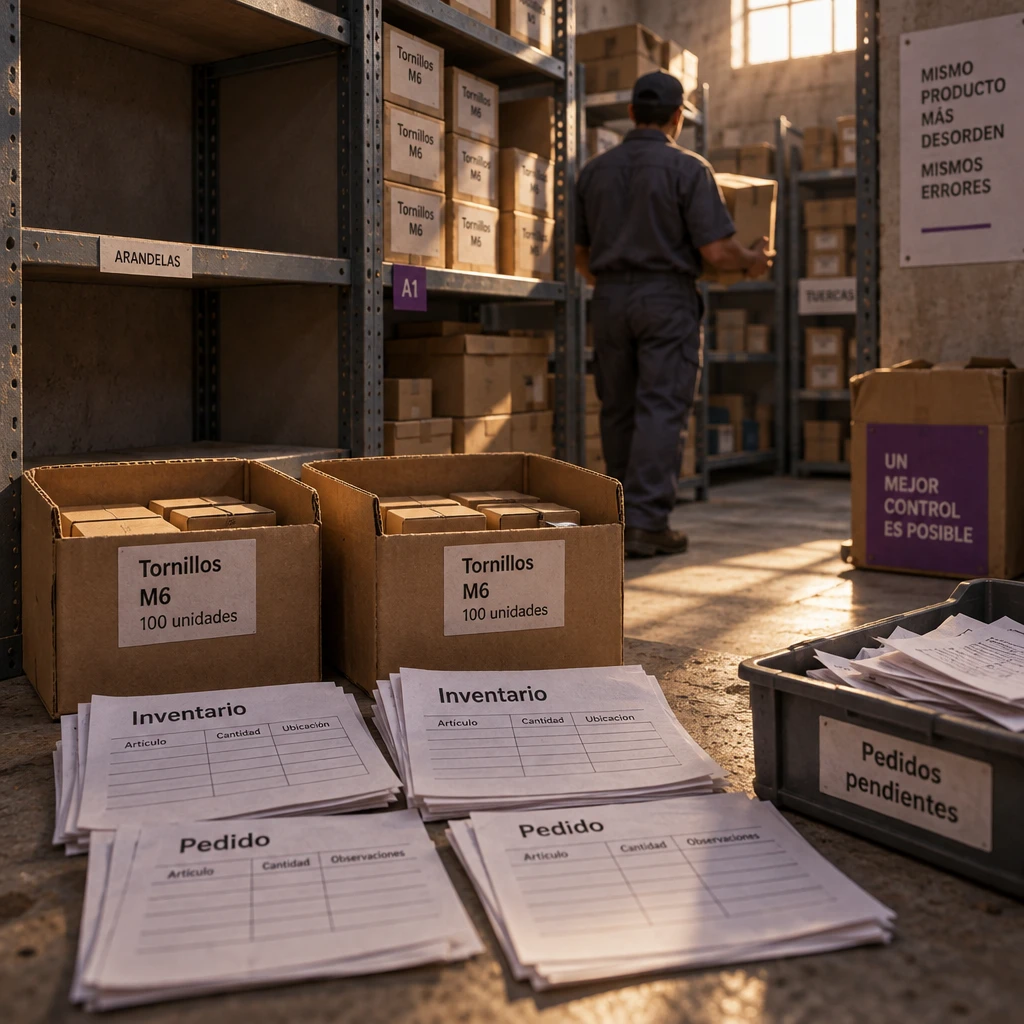
Odoo adapts to almost any way of working, and that comes with a risk: carrying over the same disorganization from the old system to the new one. A successful implementation starts by reviewing processes and migrating only the data that is useful.
Before you configure anything, follow these steps in this order:
- Define the problem the project is intended to solve, including a person in charge and a measurable outcome for each process.
- Decide which companies, warehouses, and equipment will be included in the first phase, and which processes you will keep, redesign, or eliminate.
- Identify which system currently contains the reference data for customers, products, and rates.
- Separate the historical data you're going to migrate from the data that you just need to keep on file.
- Choose the essential integrations so you can get started right away.
- Establish the acceptance criteria and determine who authorizes or halts the release to production.
The first phase should cover a few complete processes, not many isolated applications. To set priorities, assess the economic impact of the current problem, the stability of the process, the quality of the source data, and dependencies on other modules.
Testing Before Moving to Production
Tests must run through each process from start to finish, including errors and exceptions: a return, a partial order, and a corrected invoice. Run the tests using accounts that replicate the permissions of each role—never just the administrator user. The Odoo documentation warns that changing permissions can affect the database.
A Plan to Go Back
Prepare a rollback procedure before going live. With a complete backup of the database and file storage, you can revert to the previous state if something critical goes wrong on the first day. A vendor demonstration does not prove that the system can support your operations; only your own testing can do that.
Your Next Step
Write down the two or three processes that waste the most of your time today and who is responsible for them. With that list, you'll know which apps you need in the first phase and which edition is right for you. If your company is in Barcelona and you want to Odoo on a Dedicated Server, Synergia deploys, configures, and maintains it using Docker and PostgreSQL; its model does not include monthly per-user licenses; and it offers on-site and remote support with a two-hour response SLA.
Frequently Asked Questions
Is Odoo free?
The Community edition is free and open source under the LGPLv3 license; the Enterprise edition is available via a per-user subscription. In both cases, you pay for implementation, and with the Community edition, you are also responsible for server hosting and maintenance.
How long does it take to implement Odoo in an SME?
An initial phase covering accounting, sales, and inventory—without complex integrations—typically takes between one and three months. The timeframe increases with the number of warehouses, sales channels, custom developments, and the quality of the data you migrate.
Does Odoo work in Catalan?
Yes. Odoo has been translated into Catalan, and each user can choose their language in the settings. You can also assign a language to each customer so that their quotes and invoices are generated in Catalan or Spanish.
Which version of Odoo should I install?
Install the latest stable major version if you're starting from scratch. Odoo S.A. provides support for the three most recent major versions, so using an older version will force you to migrate sooner. Also make sure that the OCA modules that the ones you need are already compatible with that version.