
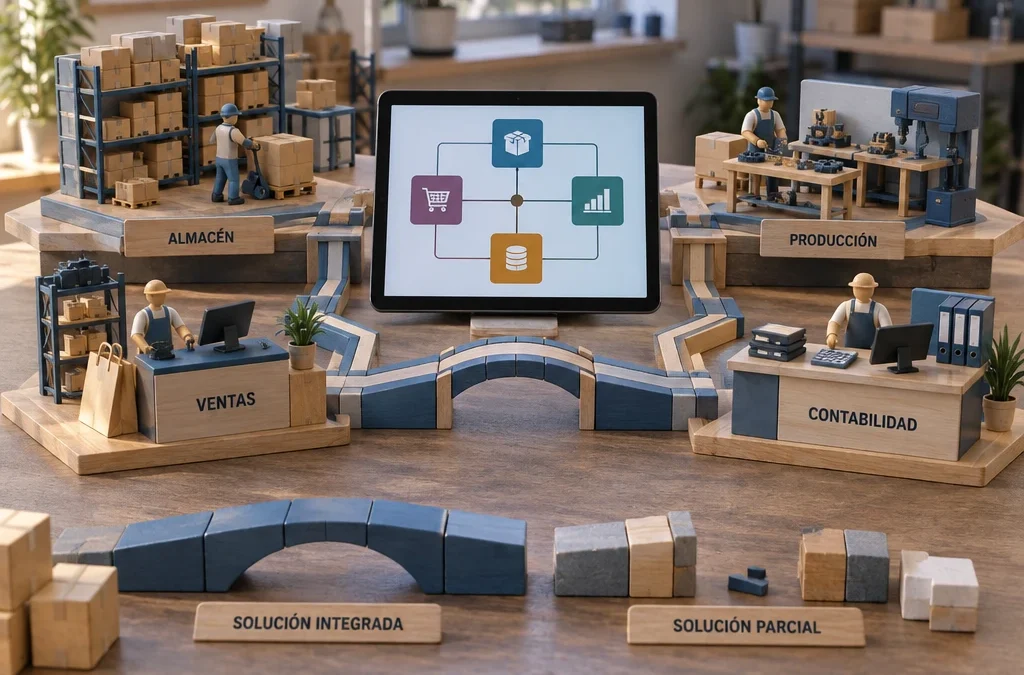
If you run an SME in Barcelona and see Odoo as a way to move beyond Excel spreadsheets and disconnected software, it’s important to look beyond the list of modules and assess whether your company is ready to implement it effectively. Evaluating Odoo for SMEs requires taking three factors into account: functional suitability, total cost, and internal readiness.
In addition to those three, there is a fourth aspect that many proposals overlook: who hosts, secures, and maintains the system once it goes live. With those four aspects clearly defined, you can request comparable proposals and negotiate effectively.
Key points:
- Odoo is a good fit when different departments work with different copies of the same data.
- Start with the core modules: CRM, Sales, Purchasing, Inventory, and Billing.
- The total cost includes implementation, migration, training, hosting, maintenance, and licenses.
- An SME using standard modules can be up and running within 6 to 8 weeks.
- Backups without restoration tests offer no guarantees.
- VeriFactu requires a review of the version, modules, configuration, and current regulations.
When is the right time to implement Odoo, and when is it better to wait?

It makes sense to implement Odoo when multiple departments need to access the same data but end up working with different versions. It’s better to wait if your operations are very simple, if your budget isn’t sufficient to do it right, or if your business model is still being redefined.
The clearest sign is in the organization. Think of the warehouse, which tracks inventory in a spreadsheet; the purchasing department, which works with a copy of that spreadsheet; and the sales representative, who refers to the version downloaded on Monday. No one makes a mistake, but each person makes decisions based on different information. That’s where an ERP system provides immediate value.
Two questions that clarify this
To determine whether you need an ERP system, ask yourself two questions. How many days does it take you to close the month? How many versions of the same file are in circulation during that closing process? If the closing process takes more than a week and three or four versions of the same report appear, the problem is already costing you money.
Situations in Which Odoo Is Not Worth It
A company with fewer than five employees that only handles invoicing, bookkeeping, and customer tracking can manage all of that with invoicing software. It costs much less. If your budget only allows for a partial Odoo implementation, wait or choose a lighter-weight tool. A poorly planned ERP system leaves you with the same organizational problems—but at an added cost.
The third scenario is the riskiest. Implementing an ERP system in a company that is changing the way it works results in a system designed for processes that are already outdated by the time it goes live.
What a Company Should Prepare Before Requesting Proposals
Before speaking with any vendor, document your current processes, appoint an internal point person, and define three baseline metrics. This preliminary work shortens the analysis phase and allows you to compare the proposals you receive.
Map of Processes and Needs
Describe the entire order process: from the sales opportunity to payment. Note which tool is involved in each step, who uses it, and where information is duplicated. A simple one- or two-page outline is sufficient. The important thing is that it reflects how you actually work, not how everything should work in theory.
Also note the usual exceptions: returns, partial orders, special rates by customer, or products with serial numbers. These exceptions determine the configuration and a large part of the budget, more so than the standard workflow.
Initial Indicators
Implementing a project without measuring its results makes it impossible to know whether it has been successful. Choose three simple metrics and measure them before you begin. For example, the time from order placement to confirmation, the percentage of orders with issues, and the number of days required to close the monthly books. Repeat the measurement three months after implementation.
An in-house manager with time available
Appoint someone who understands the operations and has decision-making authority. Set aside a specific time slot in their schedule; good intentions aren't enough. Without someone with that profile, every question about configuration will result in a postponed meeting.
Initial Scope and Priority Modules

Start with the core that connects the main business processes. In a commercial or distribution SME, that core consists of CRM, Sales, Purchasing, Inventory, and Billing. With these five applications, you cover most of what is currently spread across various tools.
Odoo runs on integrated applications that cover, among other areas, accounting, projects, manufacturing, human resources, and e-commerce. Although it may be tempting to activate them all from day one, it’s best to exercise restraint. Each additional application increases the amount of configuration, testing, and training required, and delays the point at which the team begins working with a single version of the data.
To decide what to include in the first phase, apply a simple criterion: include anything that currently causes duplication or errors between departments. Leave for later anything that works reasonably well in a separate tool, such as the payroll management system your accounting firm already uses.
A common example is a distributor of technical equipment with 15 employees. The first phase includes the five core applications plus Accounting. In a second phase, a few months later, the company adds Projects for installation services and the customer portal. This way, the team learns to use the system in their day-to-day operations before adding new features.
Define the scope in writing before signing, including a list of applications, the processes covered, and what is expressly excluded. This clarification prevents disputes about what the budget covers.
What differences between Community and Enterprise affect an SME?
Choose the edition based on the features you need, compatibility with the modules you plan to use, and the maintenance model you can afford—not just on the basis of the license price. The Community edition is open source and has no license fee. The Enterprise edition includes advanced applications and official support, and is billed per user.
Features That Make a Difference
Some features are only available in Enterprise, so it’s a good idea to check whether your operations require them. Odoo 20 was released on September 24, 2026, and its main new feature was AI agents, which are capable of creating and modifying records. These agents are not available in Community. If your use case depends on them—or on other Enterprise-exclusive applications—the decision is clear.
In Community, many gaps are filled by community modules, such as those maintained by the Odoo Community Association (OCA) for the Spanish localization. They work well, but you should verify that they exist and continue to be maintained for your specific version before committing to them.
Versions and Support Lifecycle
Odoo provides standard support for the three most recent versions. With the release of version 20, version 17 is no longer supported. If you’re just getting started, go straight to Odoo 20. Any third-party modules or custom developments you add will need to be migrated with each version update, and that work is part of the maintenance cost.
The objection regarding the cost of licenses
The most common objection is that Enterprise makes the project more expensive every year. It’s true that the per-user license is a recurring expense. Community, on the other hand, shifts that cost to the integration and maintenance of third-party modules. Compare the two options over a three-year period, with the same features covered, and the actual difference is usually less than what the license bill suggests.
What items should be included in the total budget?

The total cost of implementing Odoo includes six components: implementation and configuration, data migration, training, hosting, maintenance, and licenses, when applicable. A quote that lists only the first component shows you only half of the total cost.
Please ensure that each proposal breaks down these items separately:
- Analysis and Configuration: Consulting hours to tailor Odoo to your processes.
- Data migration: cleaning, transformation, import, and validation.
- Developments and integrations: connectors with banking systems, online stores, logistics, or other tools.
- Training: sessions tailored to each user profile, rather than a single general demonstration.
- Hosting: server, backups, certificates, and monitoring.
- Maintenance and Support: Updates, fixes, and guaranteed response times.
Vendors don't usually publish fixed prices because the cost depends on the scope, the quality of your data, and the number of integrations. To get a reliable estimate, provide each vendor with the same process and scope document you prepared earlier. Request a written quote before getting started.
Take note of which costs are one-time expenses and which are recurring. Implementation, migration, and training are one-time costs. Hosting, maintenance, and licenses are paid monthly or annually for the entire lifespan of the system. Estimate these costs over a three- to five-year period: that’s the timeframe used to determine whether the ERP is worth the investment.
Who is responsible for housing, security, and maintenance?
The three common options are Odoo-managed hosting, a third-party platform, and your own or a dedicated server. The practical difference lies in who controls the data, who is responsible in the event of an outage, and how much freedom you have to install third-party modules.
What's different between the different types?
The Odoo-managed hosting is linked to Enterprise and simplifies management, although it limits the installation of custom modules. A Dedicated server with Docker and PostgreSQL It gives you complete control over versions, modules, and data location. In return, someone has to manage it: operating system updates, security patches, and monitoring and optimizing database performance.
On a properly sized dedicated server, an SME with 20 users can operate comfortably with about 4 vCPUs and 8 GB of RAM. Storage should be SSD, and the database must be properly configured. The hardware is rarely the bottleneck. More often than not, the issue lies with the configuration of PostgreSQL and the Odoo workers.
Backups that can be restored
Until a restore is tested, you won't know if a backup works. It requires three things in writing: backup frequency, a location off-site from the main server, and periodic restore tests. A reasonable guideline is to make daily backups of the database and filestore, retain them for 30 days, and perform a test restore once a month.
It also specifies who is responsible for performing the restoration and within what timeframe. Without a designated person in charge, the first serious incident will turn into a dispute between vendors.
Responsibilities and Response Times
Request a service level agreement (SLA) with specific response times. For example, Synergia deploys Odoo in Dedicated servers with Docker and PostgreSQL, and offers on-site and remote support in Barcelona with a two-hour response SLA. That’s the kind of measurable commitment you should compare across proposals.
Data Migration and Integrations
Migration and integrations are the two areas that most often cause deviations from schedules and budgets. Evaluate them before signing: review the status of your data and make an inventory of every tool that will need to be connected to Odoo.
Quality of Source Data
Migrating from Excel, Sage, SAP, or Navision is technically feasible. The problem usually lies with the data: duplicate customers, products with inconsistent SKUs, or balances that don’t add up. Review a sample before providing a quote. If you find 30 duplicates out of 200 customer records—15%—data cleansing will need to be included as part of the project.
Also decide which historical data you will migrate. For an SME, it is usually sufficient to include master data (customers, suppliers, products), initial inventory, opening account balances, and pending documents. Migrating ten years’ worth of closed invoices increases the cost of the project, and that historical data is rarely accessed.
List of Integrations
List the systems that exchange data with your management tools: banking, online store, carriers, POS, marketing tools, or marketplaces. For each one, note the direction of data exchange and how often it occurs. Indicate whether there is a standard connector that is still being maintained for your version of Odoo or if custom development will be required.
Every custom integration involves code that will need to be reviewed with each update. Whenever possible, choose standard connectors.
Phases, timelines, testing, and locations in Spain

An SME using standard modules can be up and running within 6 to 8 weeks. The timeline depends on the scope, the quality of the data, the number of integrations, and, above all, the availability of your in-house team.
Phases and Internal Allocation
A typical project follows this sequence:
- Analysis and Scope Definition.
- Configuring and Loading Master Data.
- Testing with real-world cases and adjustments.
- Data modeling by profile and final migration.
- Setup and support during the first month-end closing.
The internal project lead must devote several hours a week throughout the project, and even more during the testing phases. If your team can’t complete validation on time, the timeline will be extended—no matter how good the consulting firm is.
Tests, Permits, and Training
Test the system with real transactions: an order with a partial return, a corrected invoice, and a bank transfer. Set up role-based permissions before going live. A sales representative doesn’t need to see purchase margins, and a warehouse clerk shouldn’t be able to issue invoices. Train each user group on the features they’ll use on a daily basis.
VeriFactu and Billing
Tax compliance requires verifying the Odoo version, the installed modules, their configuration, and current regulations. Invoices issued through VeriFactu must include a QR code and a caption indicating its presence, and the records must be tamper-proof. Decide whether you will operate in the mode that sends data to the AEAT or in the mode without sending data, using linked records.
Odoo 20 did not introduce any specific changes for VeriFactu. Even so, in any implementation or update, you should include in your testing the submission of invoices to the tax authorities (VeriFactu or SII), tax reports, and bank transfers. These are the processes that cannot fail during the first closing.
How to Decide Whether to Implement Odoo, Prepare, or Wait
Follow a simple rule. If your processes are well-defined, you have a budget for the entire project, and a project manager with enough time, implement the system in phases, starting with the core. If you have a budget but your processes are disorganized, spend one or two months getting them in order and cleaning up your data. If you lack a budget or your business is changing, stick with your current tools. A preliminary assessment will help you determine which of these three options is best for you before requesting a quote.
Frequently Asked Questions
How long does it take to implement Odoo in an SME?
With standard modules and a limited scope, an SME can get up and running within 6 to 8 weeks. Custom integrations, a complex data migration, or a lack of in-house staff can extend that timeframe.
Can I use Odoo Community and comply with VeriFactu?
Yes, as long as you install and configure Spanish localization modules that are compatible with your version and comply with current regulations. Make sure they are still being maintained, and test the issuance of invoices with QR codes, the footer, and the integrity of the records before going live.
Which modules should I implement first?
Start with the systems that connect the core processes: CRM, Sales, Purchasing, Inventory, and Billing—plus Accounting if you handle that in-house. Leave for a second phase whatever is currently working well on its own.
Do I need my own server for Odoo?
It's not essential, but a dedicated server gives you control over versions, modules, and data storage locations. In return, you'll need someone to manage it, update it, and verify that backups restore correctly.